

The infrastructure behind 80,000 UGC videos
How Playkit manages 200+ creators (and how you can too)

Tech UGC became the dominant distribution model for consumer apps in 2025.
It’s cheap, relatively easy to kickstart, and a great way to test hundreds of video concepts, top-of-funnel messaging, and acquire new users at scale.
The playbook is simple: find a few creators, brief them, replicate top performing videos. Easy, right?
Here’s what no one talks about:
The operational mess that happens behind this simple funnel: hundreds of DMs, thousands of videos to track, community building, task management, approvals, timelines, the list goes on.
When we started Playkit, we leveraged iMessage group chats, Google Sheets, VAs, and spent a lot of time manually reminding creators to post. We were in the trenches.
To scale (and to not go crazy), we built infrastructure to help us operationalize this system.
What Trackr Actually Is
Trackr is the system we’ve used internally at Playkit to manage 200+ creators, 80,000+ videos, and 900M+ views across client campaigns.
It’s not a creator marketplace.
It’s not an influencer discovery tool.
It’s infrastructure for running UGC campaigns at scale.
Here’s what happens when you use Trackr:
Manually managing creators → Automated creator tracking
Scattered approvals → Centralized review system
Unclear requirements → Assigned deadlines and posting quotas
Manual video tracking → Automated TikTok monitoring
Spreadsheet chaos → Single source of truth for campaigns
We didn’t build Trackr as a startup idea. We built it because we had to in order to run our own agency.
Now we’re making it available.
How We Actually Use Trackr to Manage 200+ Creators
Our 2026 hypothesis is simple: more teams will bring UGC campaigns in-house.
The economics make sense. Creative control makes sense. But the operations don’t, unless you have systems.
On top of offering Trackr, we’ll also share how we use it at Playkit and how we operationalize UGC to reduce management hours (like Slack tours, pay structures, recommendations, community-building, creator strike systems, and more).
Much of this will come in the following weeks. To get started, here’s how we use Trackr day-to-day:
1. Creator Management
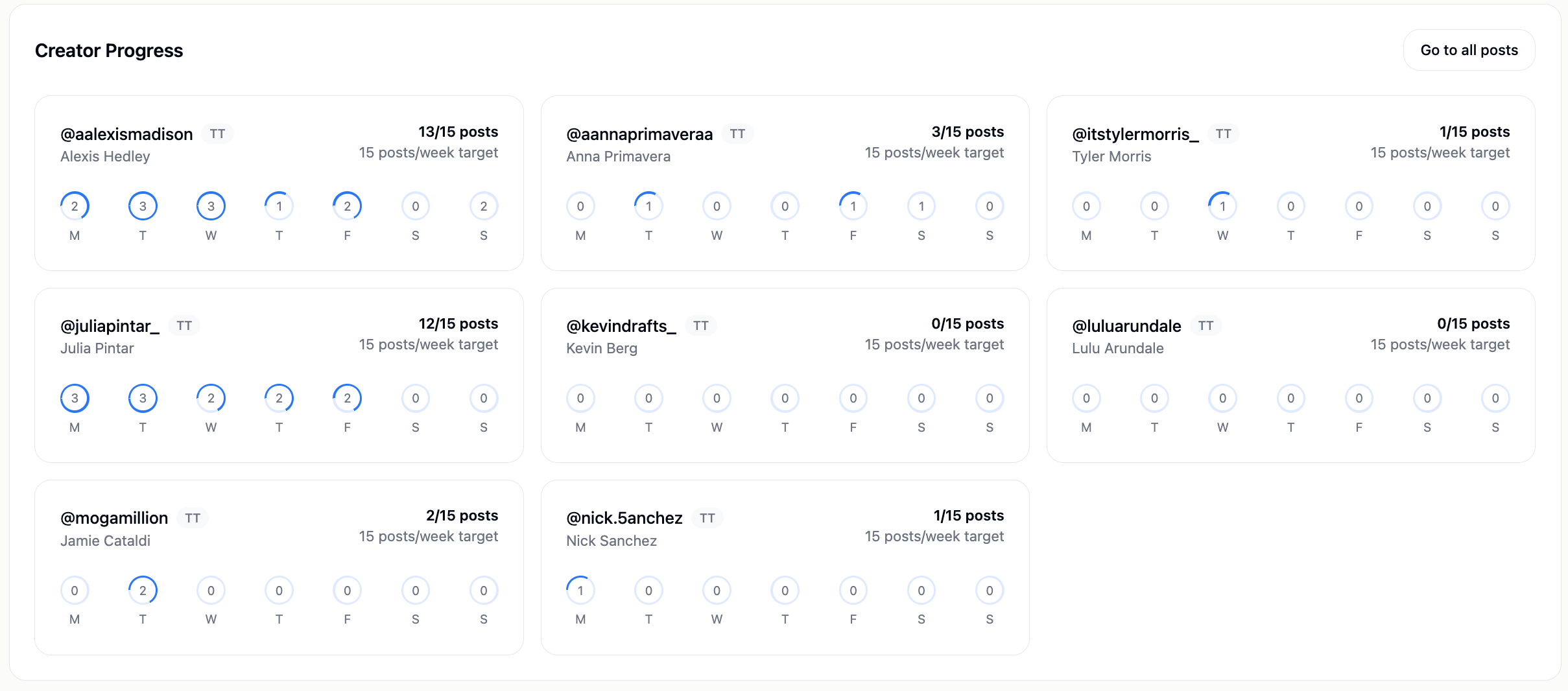
For each campaign, you get a high-level overview of your creators’ posting progress.
You’ll see their target posts per week and how many posts they’ve completed each day from Monday to Sunday.
2. Creator Leaderboard
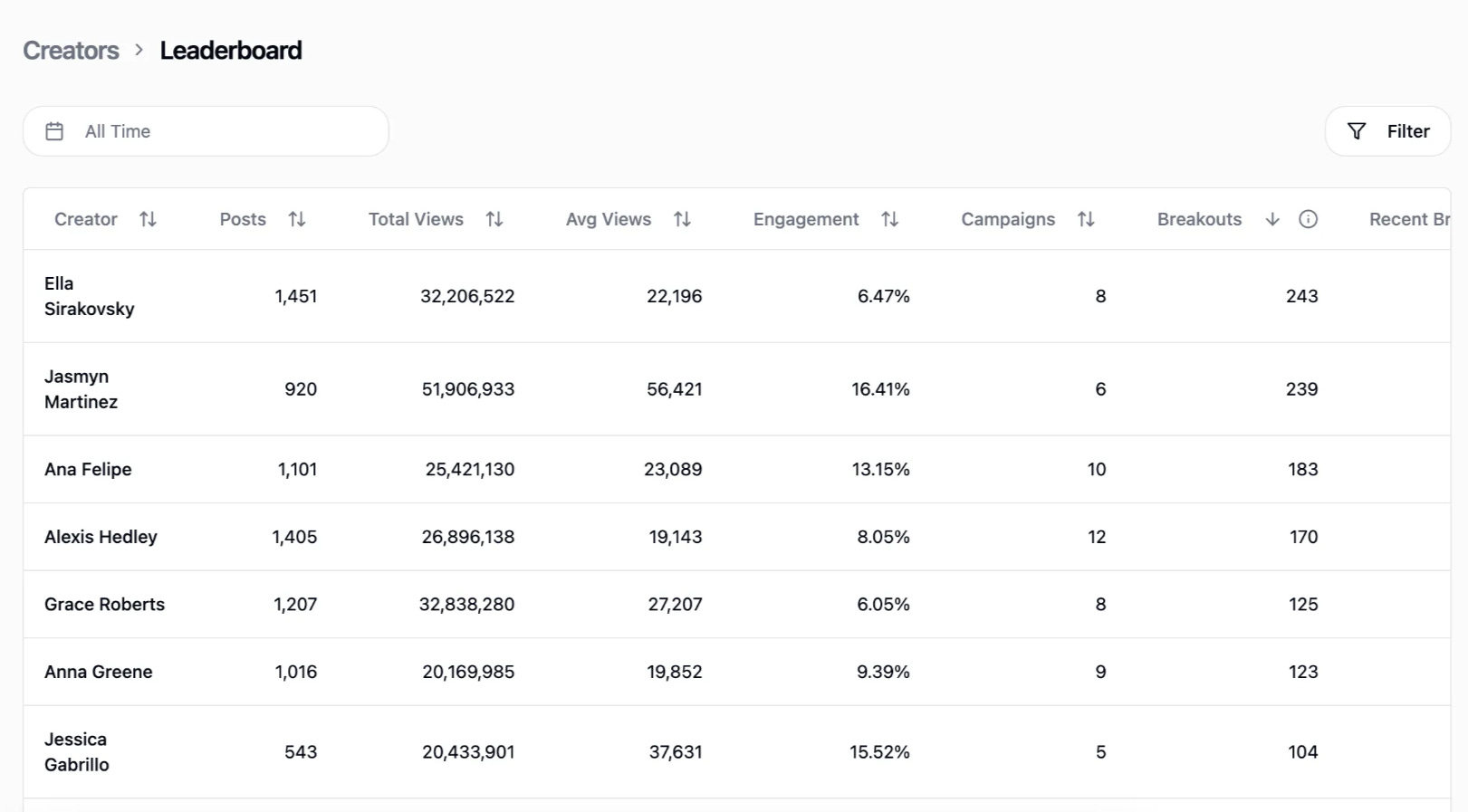
We use the leaderboard to internally incentivize creator performance.
Our creators are paid based on Playkit’s flat rate + CPM bonus structure dependent on where they are in the leaderboard. This creates healthy competition and keeps quality high.
3. Video Review
One of the biggest unlocks we had at our agency was beginning the process of reviewing all content before it’s posted.
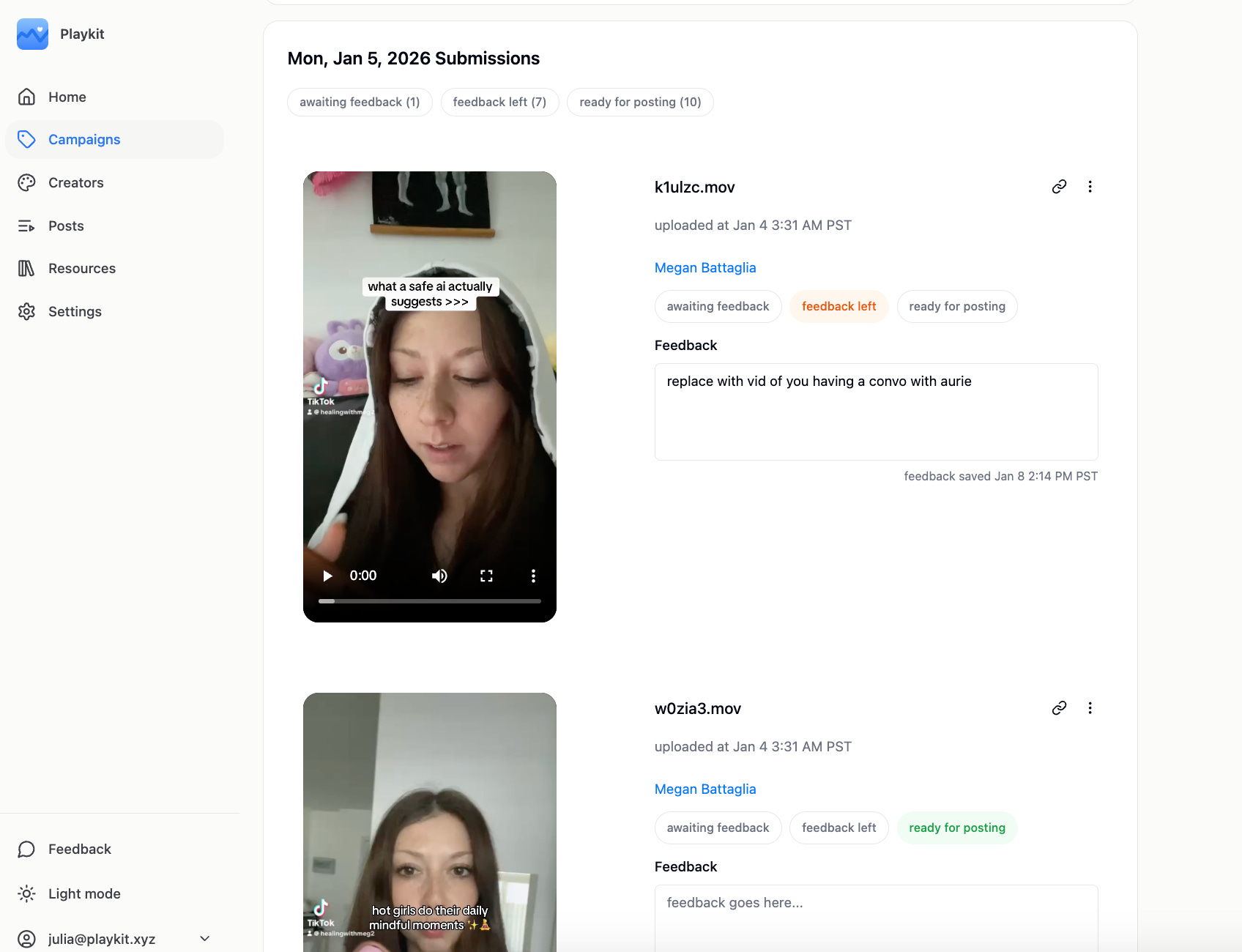
We built this feature in Trackr for seamless, quick video review from UGC Engineers.
Our recommendation: Instruct creators to batch-upload content on assigned days (e.g. Monday / Wednesday / Friday).
Then, as you review all content pieces you can mark videos as:
Pending review
Needs edits
Approved / ready to post
This ensures creators only post videos that have been quality-checked by your team, reducing low-quality or off-brand posts and keeps comms streamlined without needing to go back and forth in DMs.
Why We’re Launching This Now
UGC works as a distribution channel, but most teams hit a wall at 10+ creators because the operational chaos becomes unsustainable.
If you’re running UGC at scale (or planning to) this is the system.
We’ll be sharing more about how we operationalize UGC at Playkit in the coming weeks, everything from creator community-building to payment structures to quality control systems. More to come!
Until next time,
The Playkit Team